How to Sign Up as a RentGrab Owner: Complete Guide
Ready to start earning money by renting out your items? This guide walks you through the complete owner sign-up process, from creating your account to setting up payments through Stripe.
Before You Begin
You’ll need:
- A valid email address
- Government-issued photo ID (driver’s license or passport)
- Social Security Number (for tax reporting)
- Bank account details (routing and account numbers)
- For business accounts: EIN/Tax ID and business documentation
Step 1: Create Your RentGrab Account
- Visit RentGrab and click Sign Up
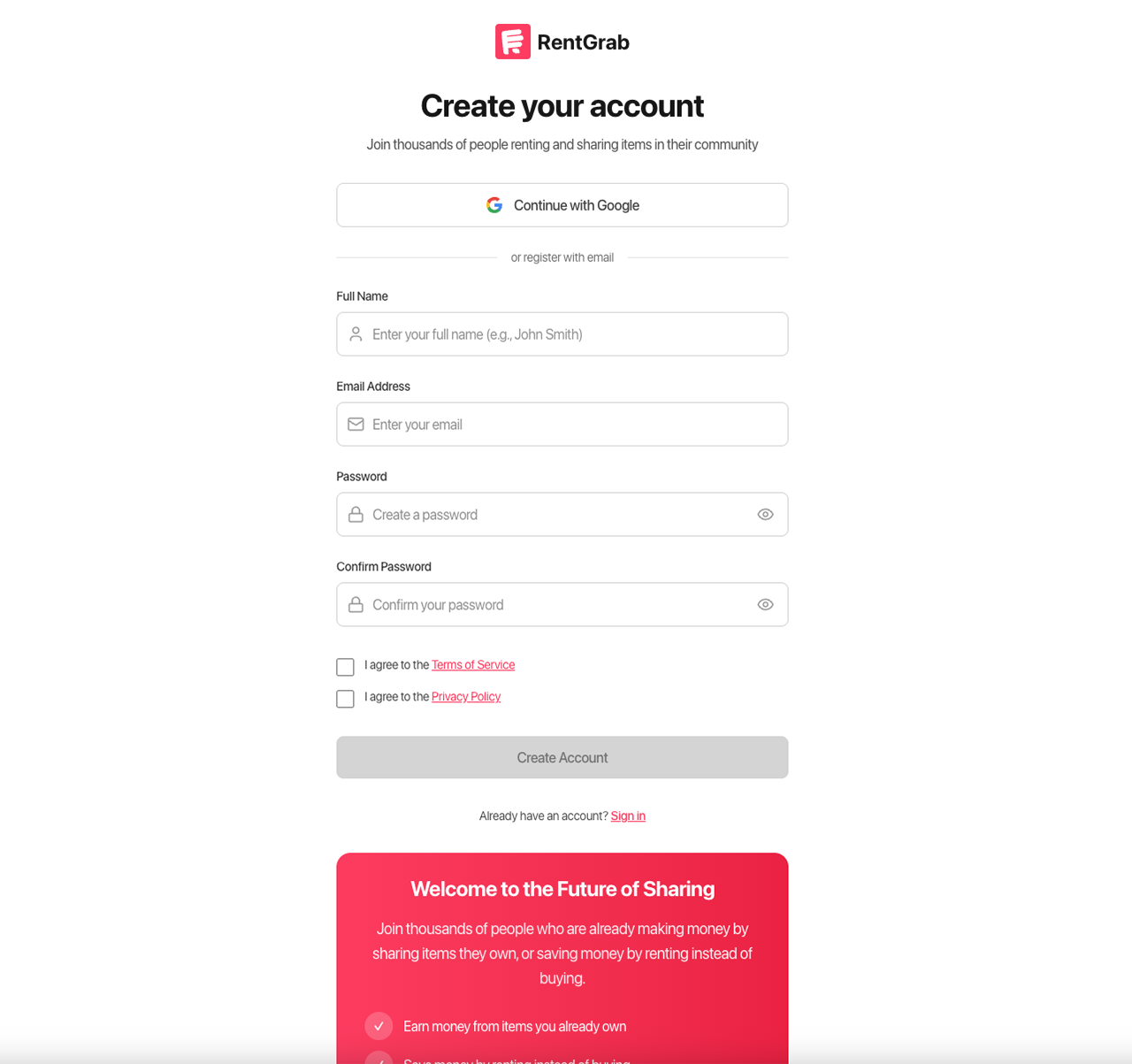
- Choose to sign up with Google or enter your information manually:
- Full name
- Email address
- Password (must be 8+ characters with uppercase, lowercase, and a number)
- Accept the Terms of Service and Privacy Policy
- Click Create Account
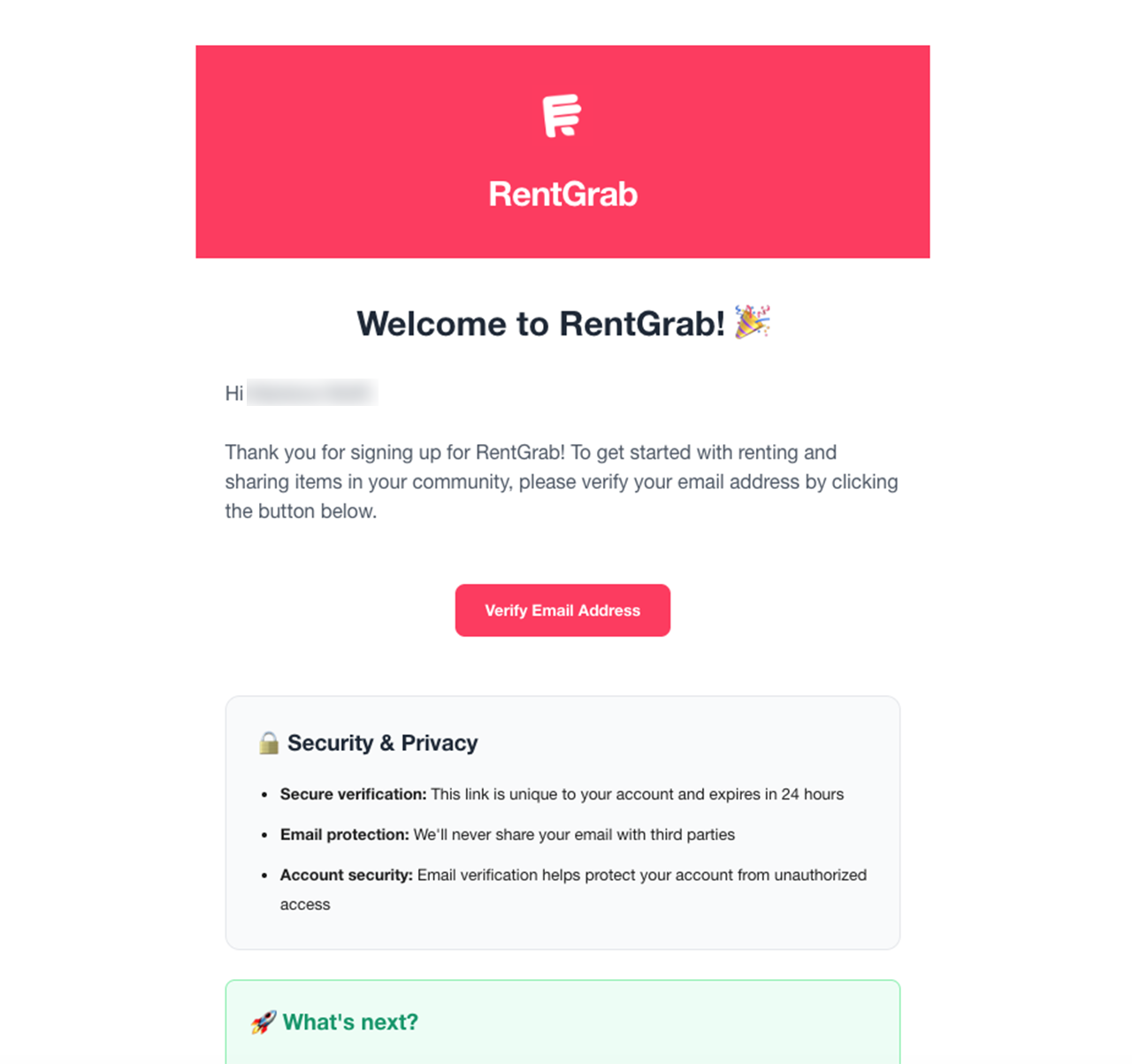
- Check your email for a verification link and click it to verify your account
Step 2: Start the Owner Sign-Up Process
Once your account is verified:
- Log in to RentGrab
- Click Become an Owner from your dashboard or profile menu
- You’ll enter our 5-step owner onboarding wizard
Step 3: Choose Your Account Type
Select the account type that fits your needs:
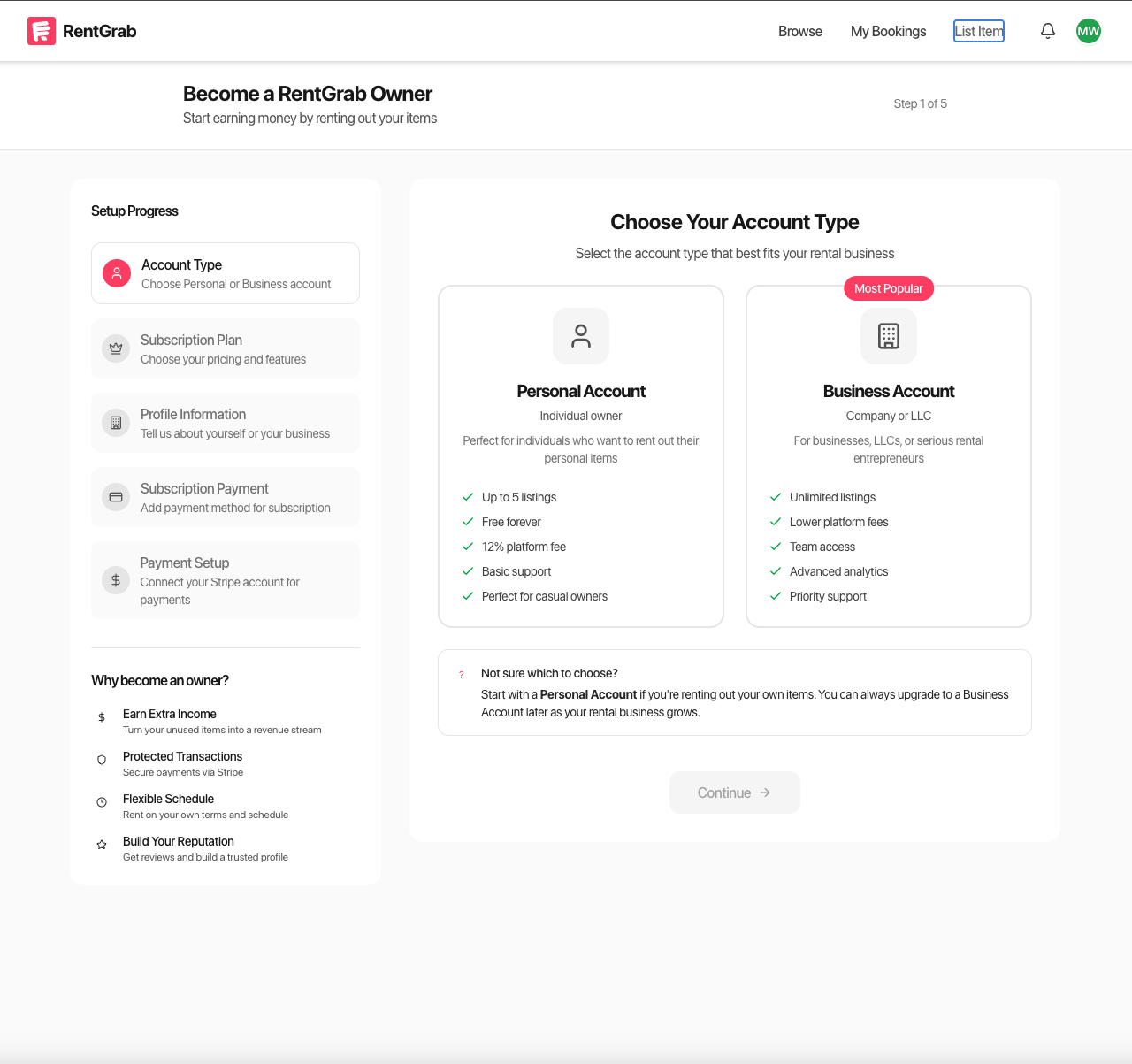
Personal Account (Free)
- List up to 5 items
- 12% platform fee on successful rentals
- Basic support
- Perfect for casual owners renting occasional items
Business Account
- Unlimited listings (varies by plan)
- Lower platform fees (8-10%)
- Team member access
- Advanced analytics and reporting
- Priority support
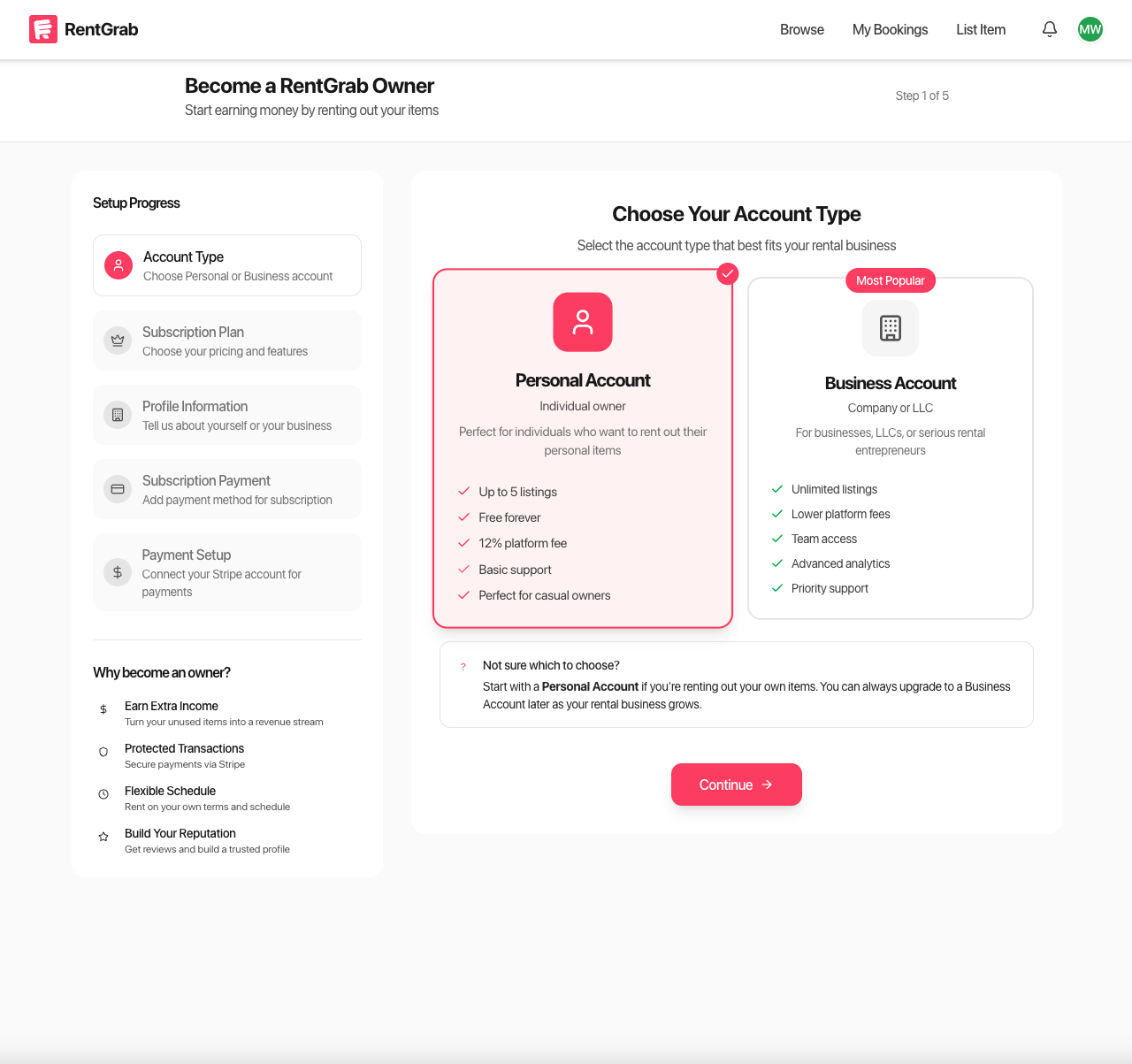
Click Continue after making your selection.
Step 4: Select Your Subscription Plan (Business Accounts Only)
If you chose a Business Account, select your subscription:
Basic Business - $49/month
- Up to 25 listings
- 10% platform fee
- Team access for 3 users
- Enhanced search visibility
- Performance analytics
Premium Business - $99/month
- Unlimited listings
- 8% platform fee
- Unlimited team members
- Maximum search visibility
- Advanced reporting tools
Note: Personal account holders skip this step.
Step 5: Enter Your Information
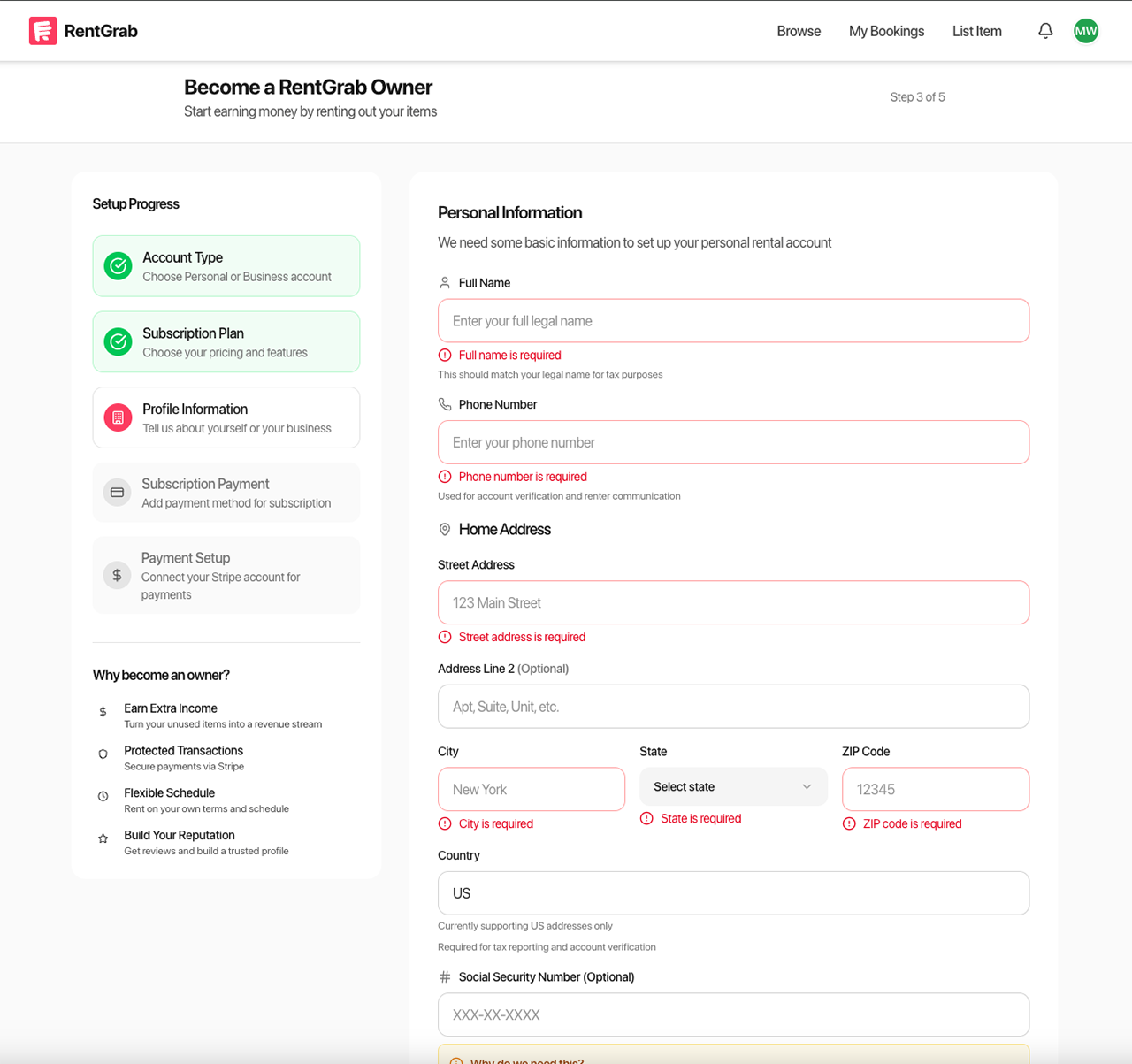
For Personal Accounts:
- Full legal name (as it appears on your ID)
- Phone number
- Complete address (street, city, state, ZIP)
- Social Security Number (required for tax reporting)
For Business Accounts:
- Business name
- Business type (LLC, Corporation, Partnership, etc.)
- Business phone number
- Business address
- EIN/Tax ID
- Principal owner name and title
Step 6: Add Payment Method (Business Accounts Only)
Business account holders enter their payment card for subscription billing:
- Enter your card details using our secure payment form
- Your card is processed through Stripe and never stored on our servers
- You won’t be charged until your subscription begins
Note: Personal account holders skip this step.
Step 7: Set Up Your Stripe Account
This is where you connect your bank account to receive rental payouts. Here’s what to expect:
What is Stripe?
Stripe is a trusted payment platform used by millions of businesses worldwide, including Shopify, Lyft, and Amazon. RentGrab uses Stripe Connect to securely handle all payments between renters and owners. When you set up your Stripe account, you’re creating a secure connection that allows you to receive payouts directly to your bank account.
Your financial information is handled entirely by Stripe—RentGrab never sees or stores your bank details. Learn more about Stripe Connect.
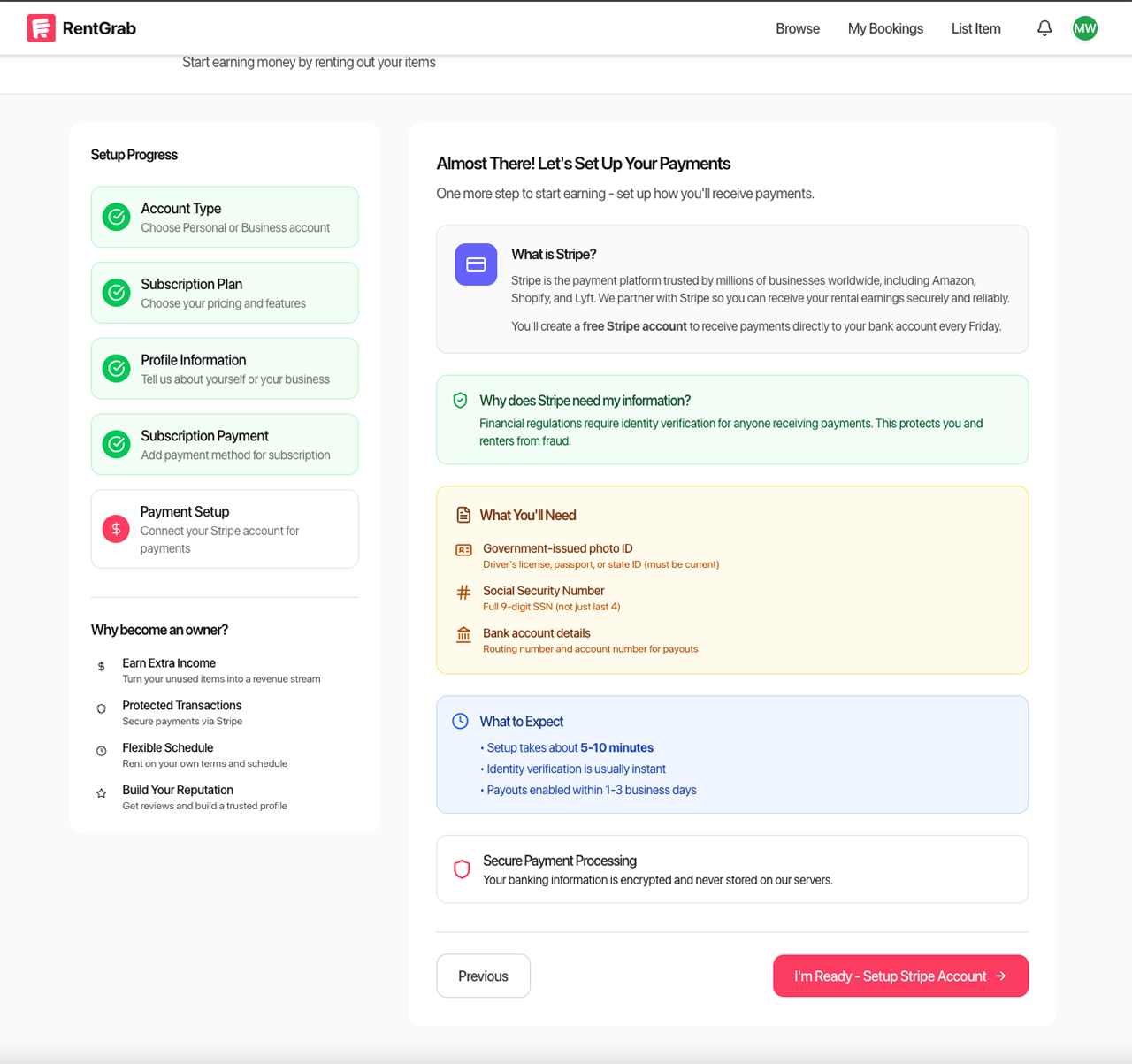
What You’ll Need for Stripe:
- Government-issued photo ID (must be current and not expired)
- Full 9-digit Social Security Number
- Bank account routing and account numbers
- For businesses: EIN and ownership details for anyone owning 25% or more
The Stripe Onboarding Process:
- Click I’m Ready - Setup Stripe Account
- You’ll be redirected to Stripe’s secure onboarding portal
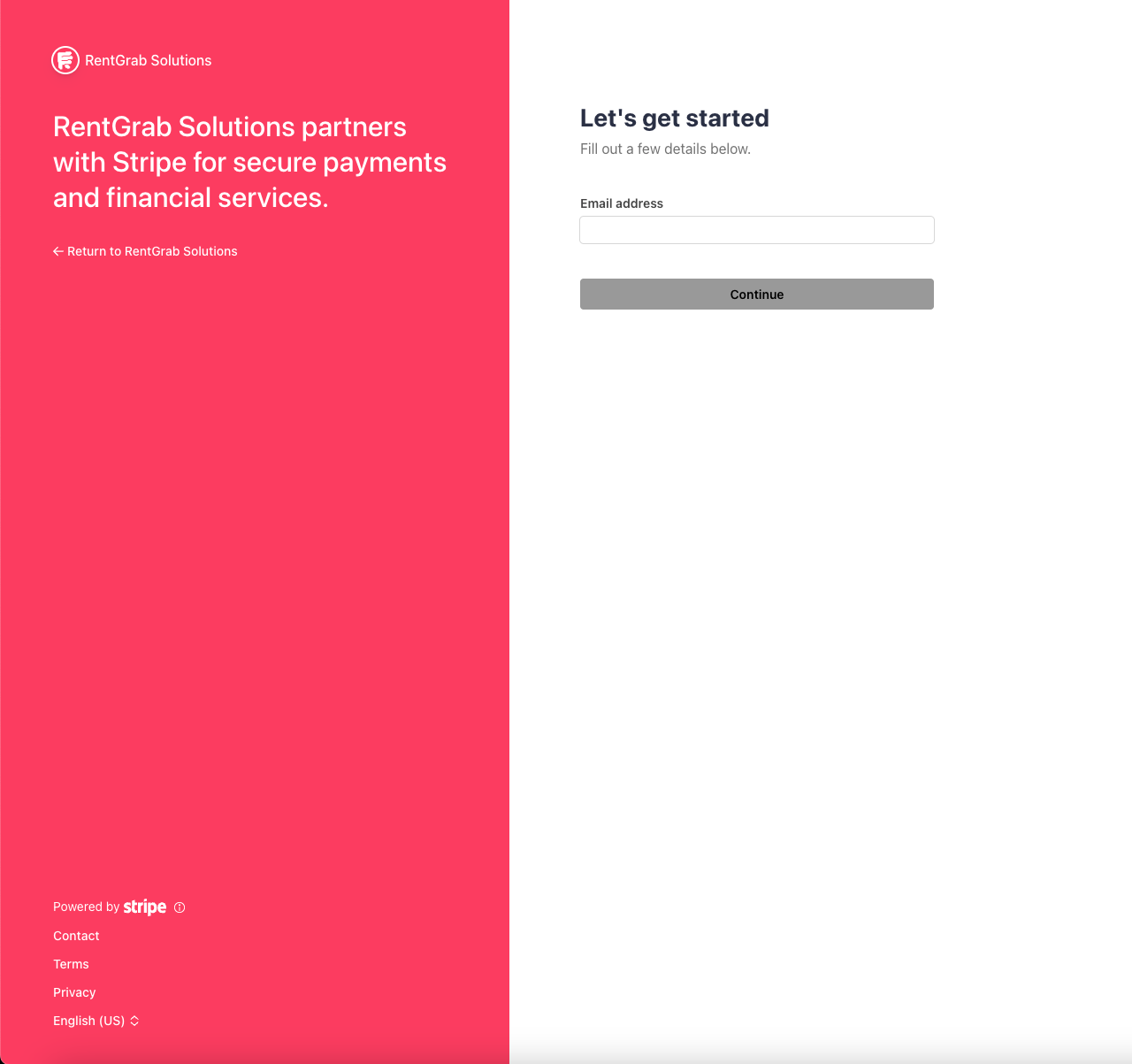
- Enter your email address and phone number
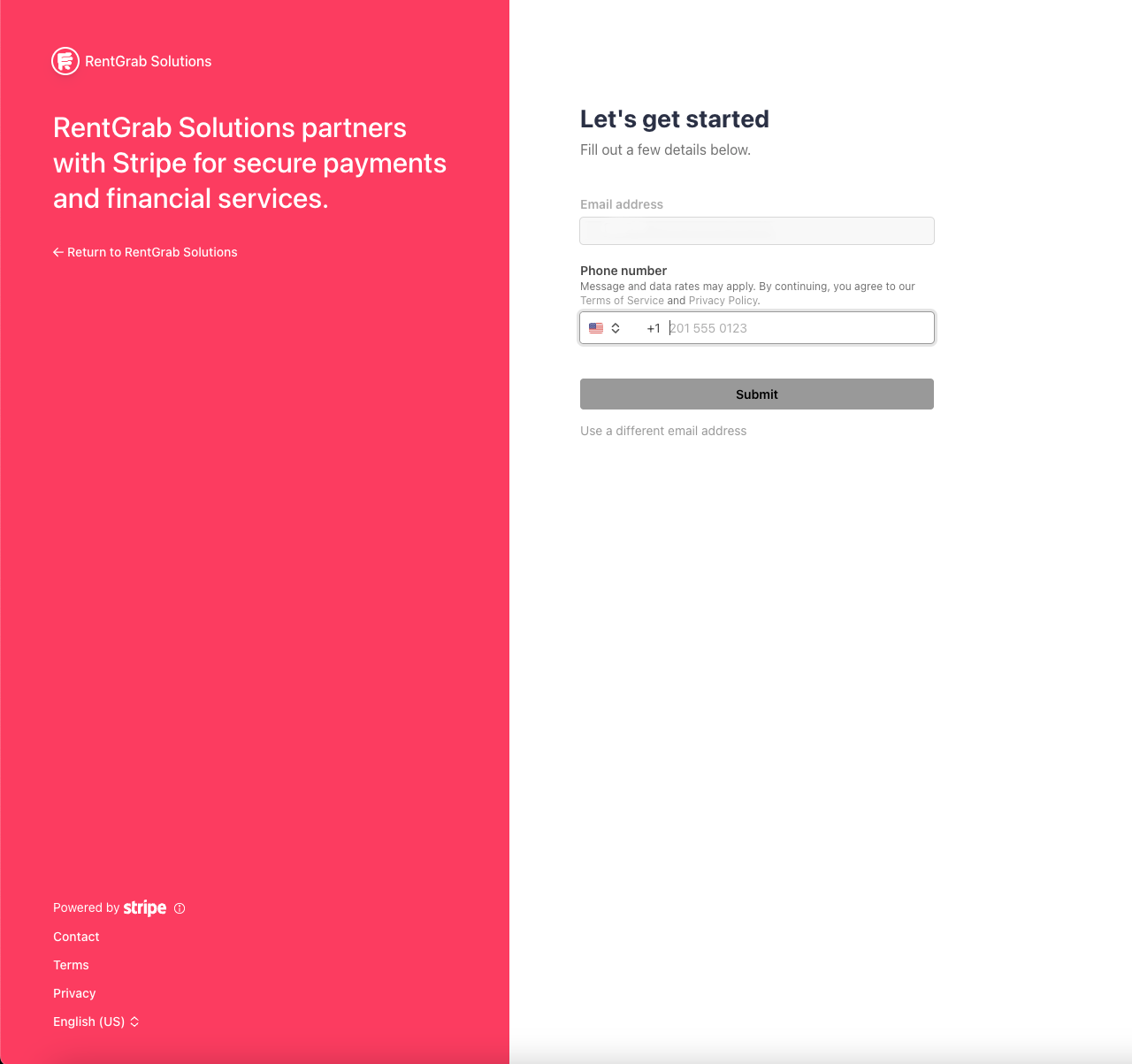
- Enter the verification code sent to your phone
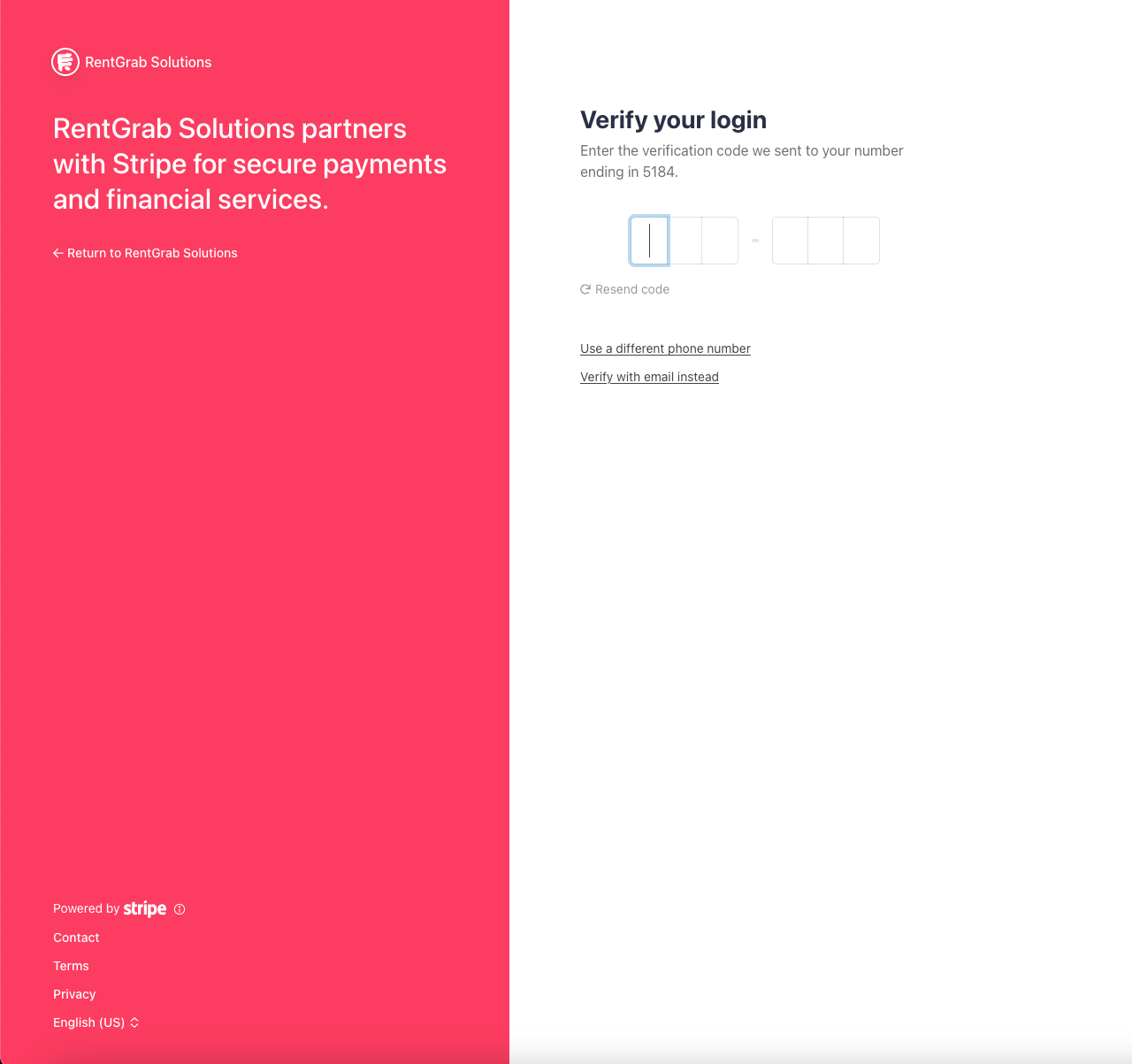
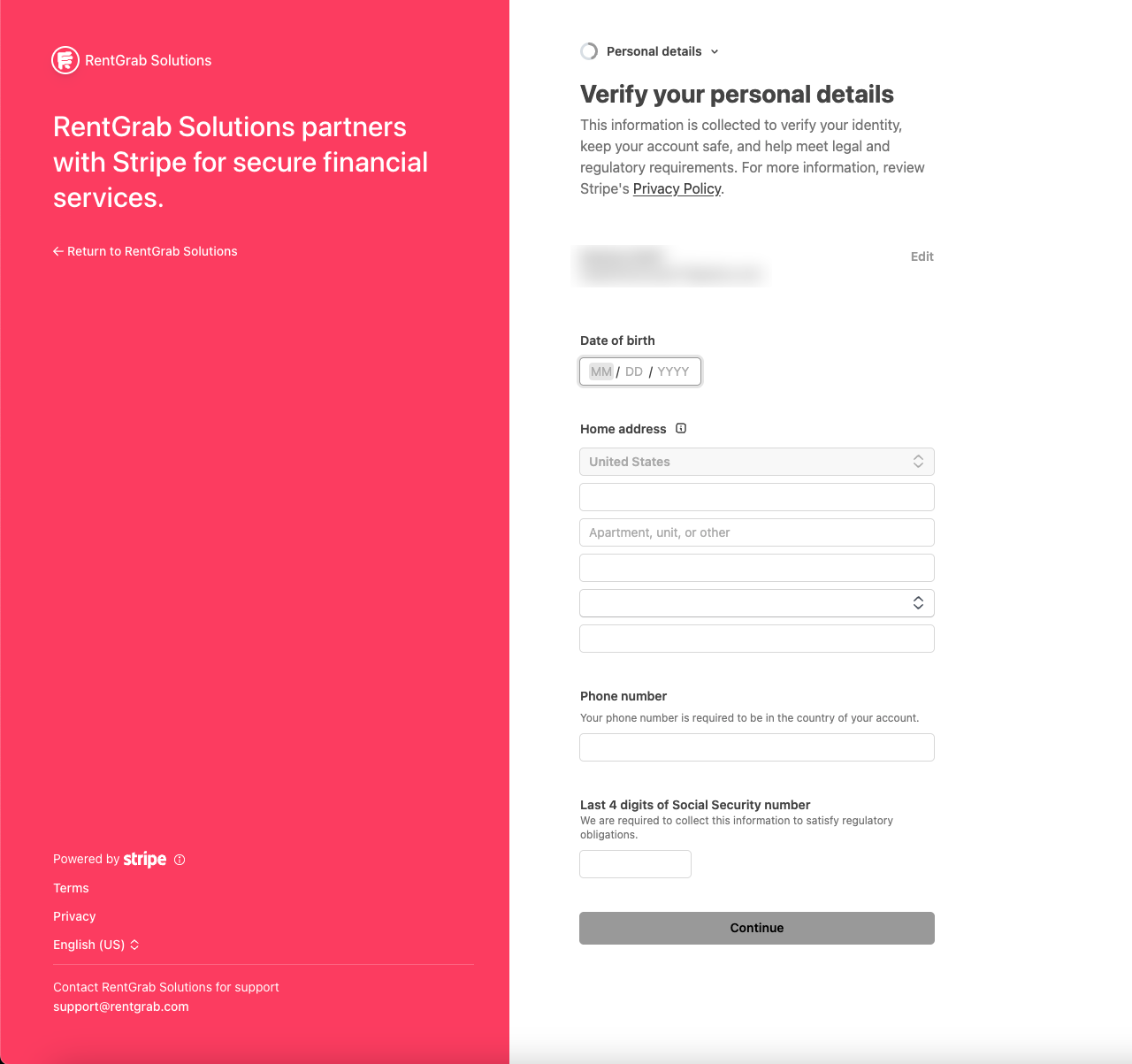
- Complete each section:
- Personal information: Verify your name, date of birth, and address
- Identity verification: Your information will be verified
- Business details (if applicable): Enter your EIN and business information
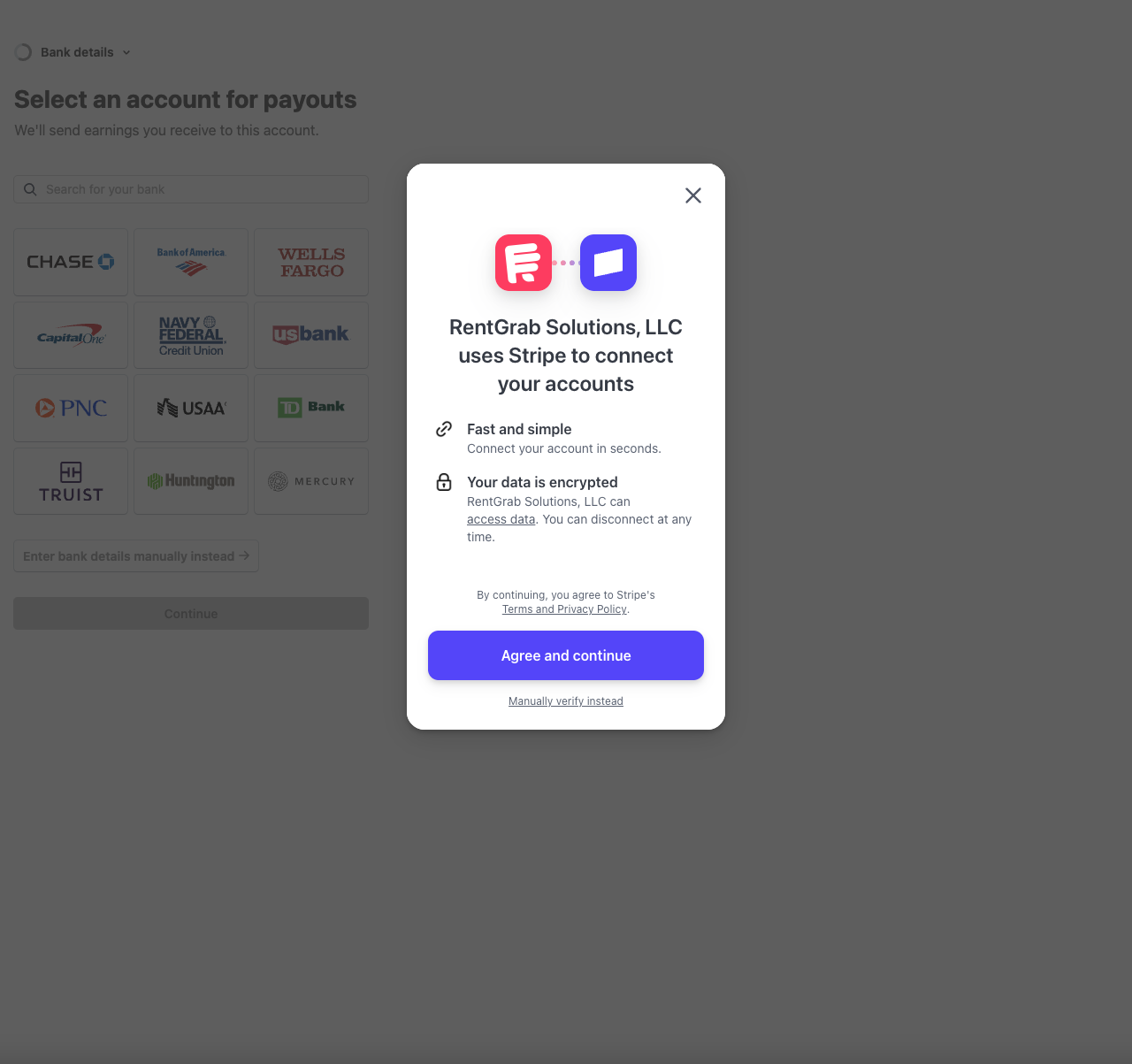
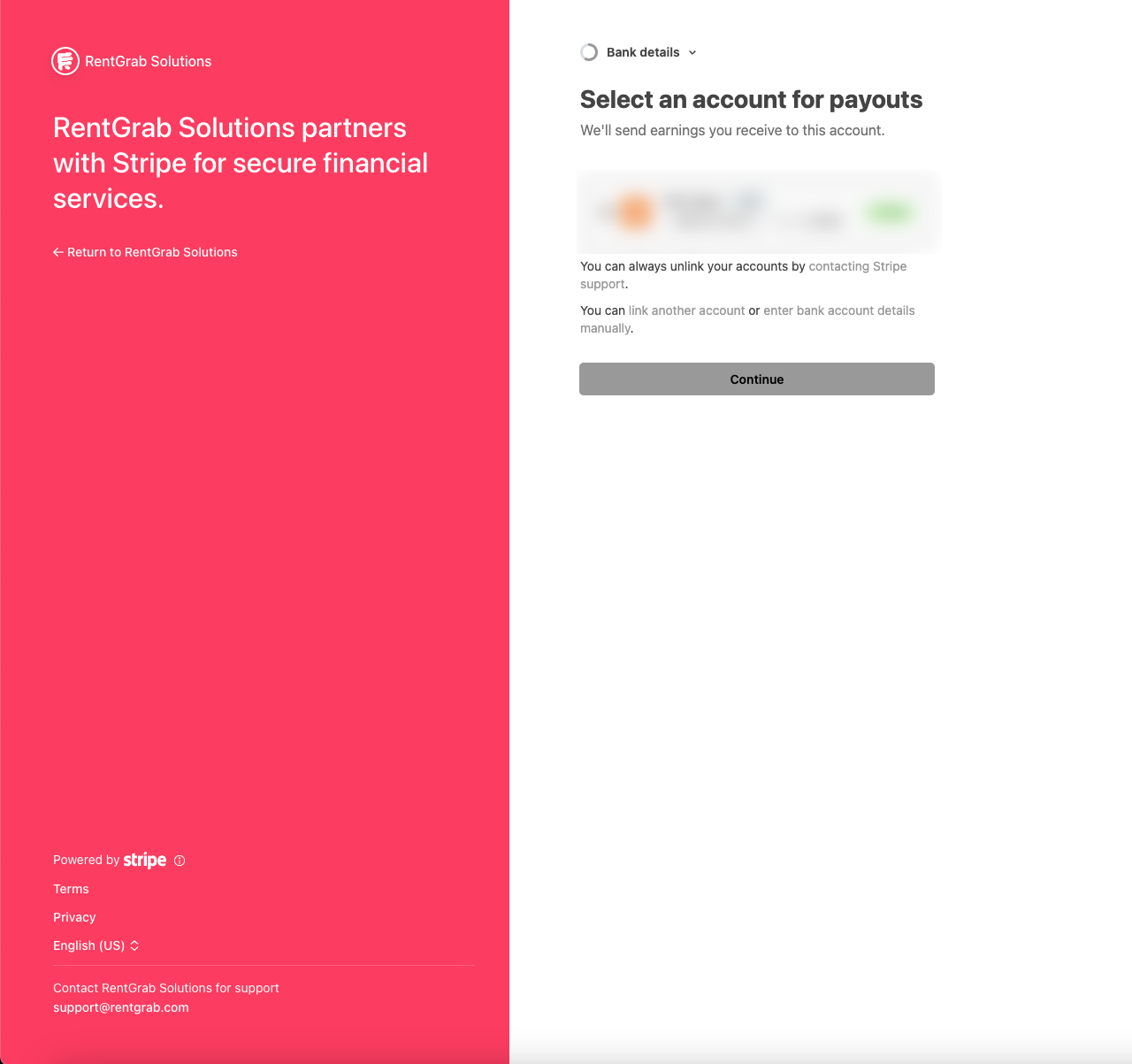
- Bank account: Add your bank account for payouts
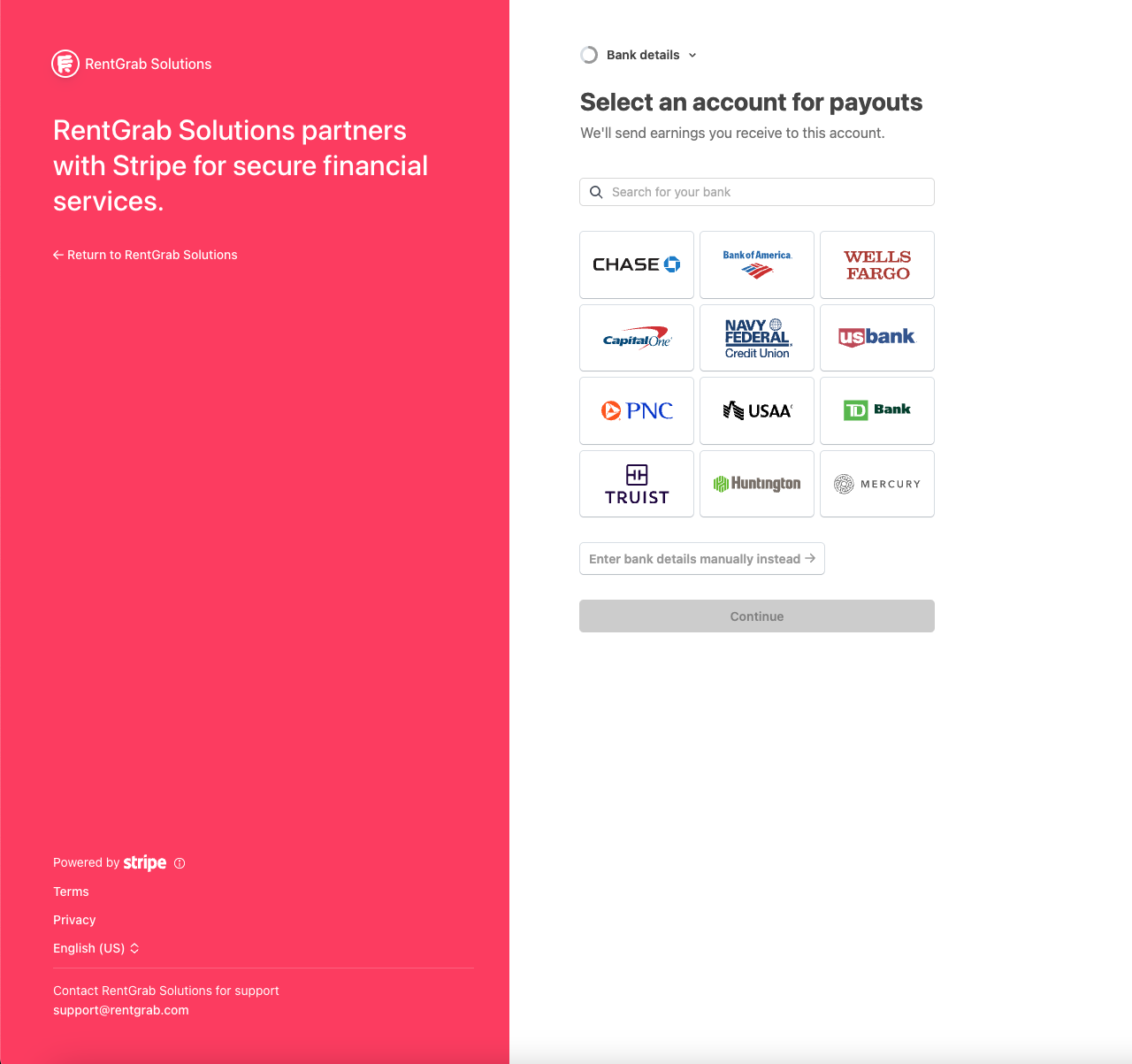
You can either:
- Select your bank from the list and log in securely
- Enter bank details manually using your routing and account numbers
- Review and submit your information
How Long Does Verification Take?
- Most accounts are verified instantly
- Some may take a few hours to 1-3 business days
- You’ll be notified once verification is complete
Step 8: Confirmation and Next Steps
After completing Stripe onboarding, you’ll return to RentGrab and see one of these statuses:
Account Setup Complete - You’re ready to start listing items and accepting bookings.
Under Review - Stripe is verifying your information. You can check back or wait for email confirmation.
Action Required - Additional information is needed. Click the provided link to complete any outstanding requirements in Stripe.
After You’re Approved
Once your account is fully set up:
- Access your Owner Dashboard
- Create your first listing
- Set your availability and pricing
- Start accepting booking requests
- Receive payouts directly to your bank account (typically 1-3 business days after completed rentals)
Platform Fees Summary
| Account Type | Monthly Cost | Platform Fee |
|---|---|---|
| Personal | Free | 12% |
| Basic Business | $49 | 10% |
| Premium Business | $99 | 8% |
Fees are only charged on successful bookings. Renters pay exactly the listed price with no hidden fees.
Security and Privacy
- All payment and banking information is processed through Stripe
- We never store your card numbers or bank details on our servers
- Your SSN is used solely for required tax reporting
- Stripe handles all PCI compliance requirements
Ready to start earning? Sign up today and join thousands of owners in your community.
Tagged with:

W. Kevin Wolff
Founder & Owner of RentGrab
Kevin is the Founder and Owner of Rentgrab, a technology solutions company based in Ocean City, Maryland. With over 15 years of experience transforming businesses through innovative digital solutions, Kevin brings a unique blend of technical expertise (SharePoint, Power Platform, React), creative vision from his award-winning background as an Art Director, and entrepreneurial insight from founding multiple ventures including Rumble Fish Tackle & Lure. His diverse skill set spans full-stack development, digital marketing strategy, and business consulting, enabling him to bridge the gap between complex technology and tangible business outcomes. Through Rentgrab, Kevin leverages his enterprise-level experience architecting applications for thousands of users to deliver solutions that have saved organizations millions in operational costs.
Get the latest rental insights
Subscribe to our newsletter for equipment rental tips, industry news, and exclusive offers.
Subscribe and get:
- ✓ Weekly rental tips and strategies
- ✓ Owner success stories and inspiration
- ✓ Platform updates and new features
- ✓ Exclusive guides and resources
We respect your privacy. Unsubscribe at any time.
Related Articles
How to Sign Up as a RentGrab Owner: Complete Guide
Step-by-step walkthrough of the RentGrab owner sign-up process, from creating your account to setting up Stripe payments.

How to Add Your First Item to Rent on RentGrab
Step-by-step guide to creating your first rental listing on RentGrab, from basic details to publishing and getting booked.
What RentGrab Actually Is (And Why It Matters)
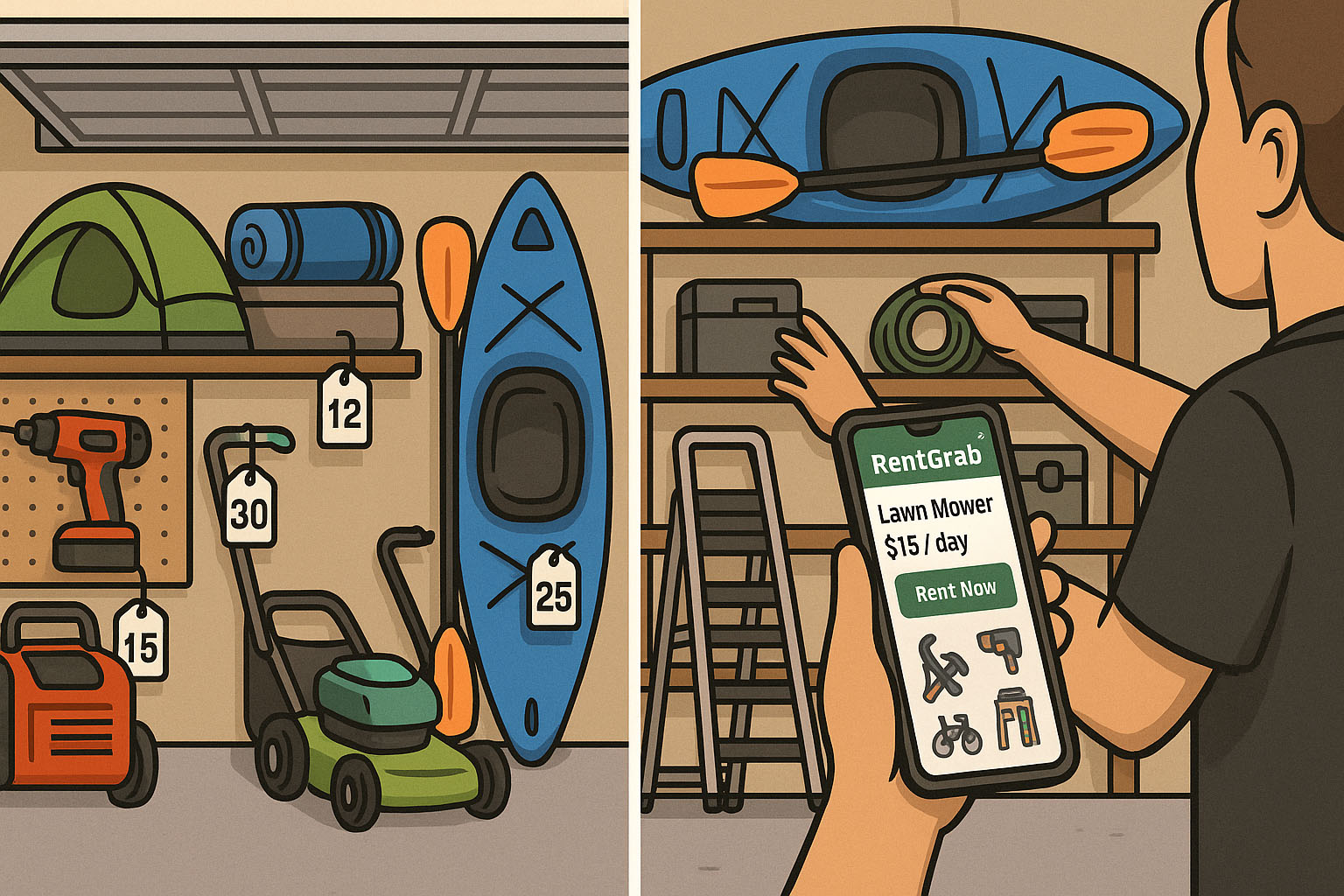
RentGrab is a neighborhood marketplace where you rent what you need and earn from what you own. Here's exactly how it works.